
How do I find my invoices and receipts?
Invoices and receipts are available from the Billing section of your Expiration Reminder account. If your account pays by credit card, invoices appear in Billing History, and only Admin users can access that section.
Where are invoices sent?
Invoices are automatically sent to the billing email address on file for the account. This is usually but not always the User which is the Account Owner.
You can also update the billing email address from the Billing section.
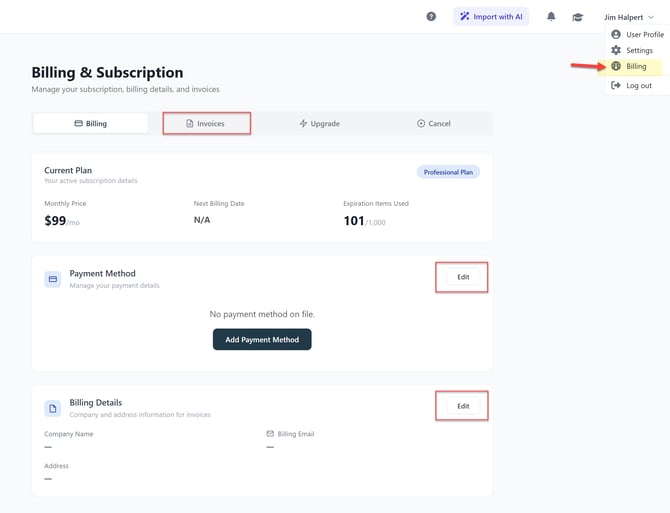
How do I view or download invoices?
- Go to Your Name in the top menu.
- Open Billing.
- Select Invoices.
- View or download the current and past invoices from there.
What should I do if I do not see an invoice email at Renewal?
Check your junk or spam folder and mark emails from Expiration Reminder as safe if you find them there. If needed, update the billing email address in the Billing section so future invoices are sent to the correct inbox.
Available Payment Methods in Expiration Reminder
Starter & Professional
- Credit Card
Professional Plan
- Credit Card
- Wire Transfer (annual subscribers only)
Business & Enterprise Plans
- Credit Card
- Wire Transfer (annual subscribers only)
- PO/Invoice Billing (annual subscribers only)